AltTab
brew install --cask alt-tab
v11.3.1
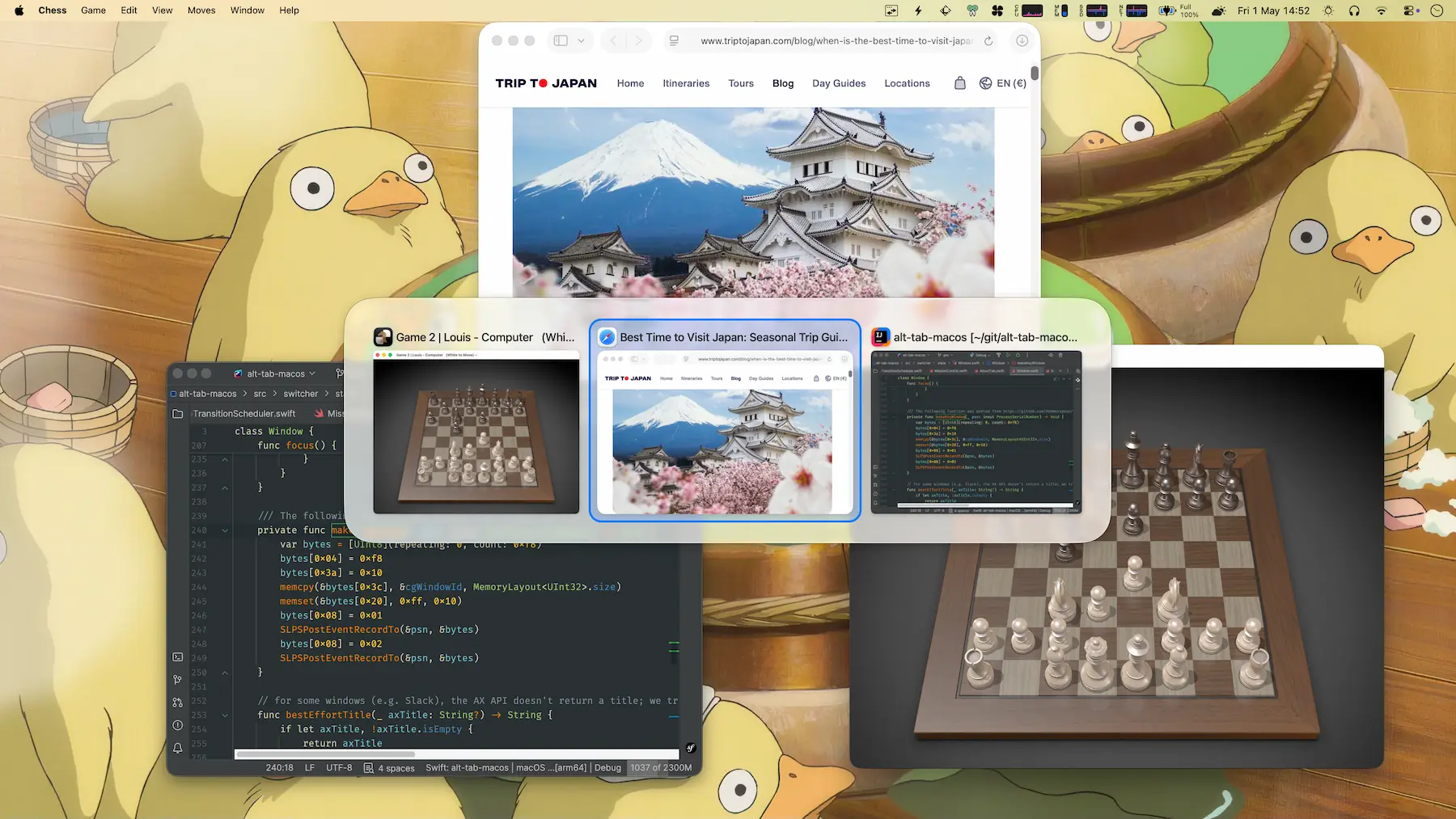
Switch between windows with preview thumbnails using Windows-style Alt+Tab behavior.
Why you might care
macOS's native app switcher only shows apps, not individual windows. AltTab displays thumbnails of every open window, making it faster to find what you need if you juggle multiple windows per app. It's highly configurable with customizable hotkeys and appearance options.
4.5k
30-day installs · #96
16.7k
90-day · #79
72.1k
365-day · #63
Links
- https://alt-tab.app/
- Brew formula source: Casks/a/alt-tab.rb
Blurb generated by claude-haiku-4-5 on 4mo ago.
Raw metadata
{
  "alternatives": [
    "Witch",
    "Contexts",
    "Hypercal"
  ],
  "artifacts": [
    {
      "uninstall": [
        {
          "quit": "com.lwouis.alt-tab-macos"
        }
      ]
    },
    {
      "app": [
        "AltTab.app"
      ],
      "target": "/Applications/AltTab.app"
    },
    {
      "zap": [
        {
          "trash": [
            "~/Library/Application Support/com.lwouis.alt-tab-macos",
            "~/Library/Caches/com.lwouis.alt-tab-macos",
            "~/Library/Caches/com.plausiblelabs.crashreporter.data/com.lwouis.alt-tab-macos",
            "~/Library/Cookies/com.lwouis.alt-tab-macos.binarycookies",
            "~/Library/HTTPStorages/com.lwouis.alt-tab-macos",
            "~/Library/HTTPStorages/com.lwouis.alt-tab-macos.binarycookies",
            "~/Library/LaunchAgents/com.lwouis.alt-tab-macos.plist",
            "~/Library/Preferences/com.lwouis.alt-tab-macos.license.plist",
            "~/Library/Preferences/com.lwouis.alt-tab-macos.plist",
            "~/Library/Preferences/com.lwouis.alt-tab-macos.usage.plist"
          ]
        }
      ]
    }
  ],
  "auto_updates": 1,
  "categories": [
    "window-manager",
    "productivity"
  ],
  "deprecated": 0,
  "deprecation_reason": null,
  "desc": "Enable Windows-like alt-tab",
  "disable_reason": null,
  "disabled": 0,
  "display_name": "AltTab",
  "enrichment_fetched_at": "2026-06-20T22:40:30+00:00",
  "first_seen": "2026-06-20T00:47:34+00:00",
  "full_token": "alt-tab",
  "github_default_branch": null,
  "github_last_commit_at": null,
  "github_readme_excerpt": null,
  "github_repo": null,
  "github_stars": null,
  "github_topics": [],
  "homepage": "https://alt-tab.app/",
  "homepage_og_description": "See every window. Switch in an instant. AltTab for macOS lets you search windows, configure up to 9 shortcuts, auto-size thumbnails, and choose from multiple appearance styles.",
  "homepage_og_image": "https://alt-tab.app/public/pro/hero-18f0ec20.webp",
  "homepage_title": "AltTab Pro \u2014 See every window. Switch in an instant.",
  "installs_30d": 4488,
  "installs_365d": 72134,
  "installs_90d": 16749,
  "last_seen": "2026-06-20T00:47:34+00:00",
  "llm_generated_at": "2026-06-20T23:02:54+00:00",
  "llm_model": "claude-haiku-4-5",
  "names": [
    "AltTab"
  ],
  "one_liner": "Switch between windows with preview thumbnails using Windows-style Alt+Tab behavior.",
  "rank_30d": 96,
  "rank_365d": 63,
  "rank_90d": 79,
  "raw_hash": "8d6db6cba218a264",
  "ruby_source_path": "Casks/a/alt-tab.rb",
  "tap": "homebrew/cask",
  "token": "alt-tab",
  "version": "11.3.1",
  "why_use_this": "macOS\u0027s native app switcher only shows apps, not individual windows. AltTab displays thumbnails of every open window, making it faster to find what you need if you juggle multiple windows per app. It\u0027s highly configurable with customizable hotkeys and appearance options."
}